
Data API
Publish a collection as JSON so another app, site or service can read it, and find the addresses of your webhook endpoints.
Your collections can be read by other apps too: a booking widget, a partner's site, a screen in your shop. Publish a collection as an API and it gets its own address that answers with its live entries as JSON. The API screen lists everything your site answers to, in one place.
The Data API is on Site Pro and the agency plans.
Publish a collection as an API
- In the sidebar, open Data, then Collections, and open the collection.
- Choose the Source tab and scroll to API.
- Switch on Publish as API.
- Under Who can read it, choose Anyone, or With an API key.
That's it. The section shows the Address, with a Copy button, and ready-to-use examples for curl and fetch to hand to whoever is building the other app. Press Open it to see the answer in your browser.
Only published entries are included. Drafts stay private. For a synced or live collection, it's the current list from the source.
Keep a collection private to your own apps
Choose With an API key under Who can read it. Callers must then send a key from Settings, Developers as Authorization: Bearer followed by the key. See Developers to make one.
See everything your site answers to
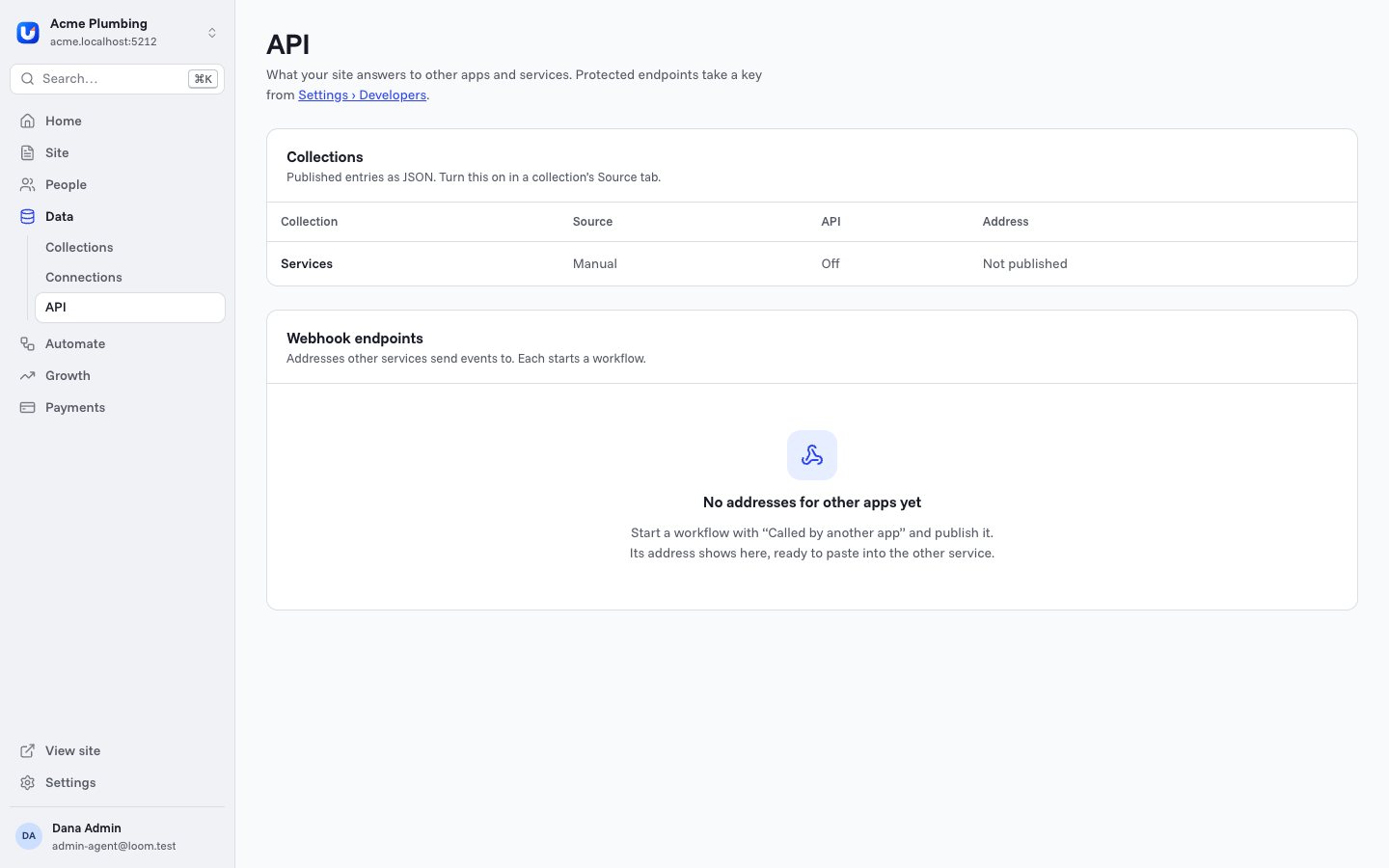
Open Data, then API.
- Collections lists every collection, its Source, whether its API is Off, Public or With a key, and its Address. Under Example, choose a collection to see its address and examples ready to copy.
- Webhook endpoints lists the addresses other services can send events to. Each one starts a workflow, and says who can call it: Anyone can call it, Needs an API key or Signed with a secret. Press copy beside an endpoint to paste it into the other service.
An address appears here once a workflow starts with Called by another app and is published. Until then it says "Publish the workflow to get its address."
Turn an API off
Open the collection's Source tab and switch off Publish as API. The address stops answering straight away.
Related
- Collections
- Synced and live data
- Developers
- Developer guide: Collections