
Inbox
Read and answer enquiries from your site's forms, and Instagram and WhatsApp messages, in one place.
The Inbox keeps every conversation with the people who get in touch. It's split by channel, so you can see everything at once or one kind of message at a time. Each person is linked to their contact, so their whole history is one click away.
Find your way around
In the sidebar, open People, then Inbox. Under it are the channels:
- Inbox itself shows everything, newest first.
- Enquiries: what people send through the forms on your site.
- Instagram: direct messages to your Instagram professional account.
- WhatsApp: messages to your WhatsApp Business number.
A number beside a channel is how many conversations have something you haven't read. On a phone, the same number shows on the Inbox tab at the bottom.
Reply to an enquiry
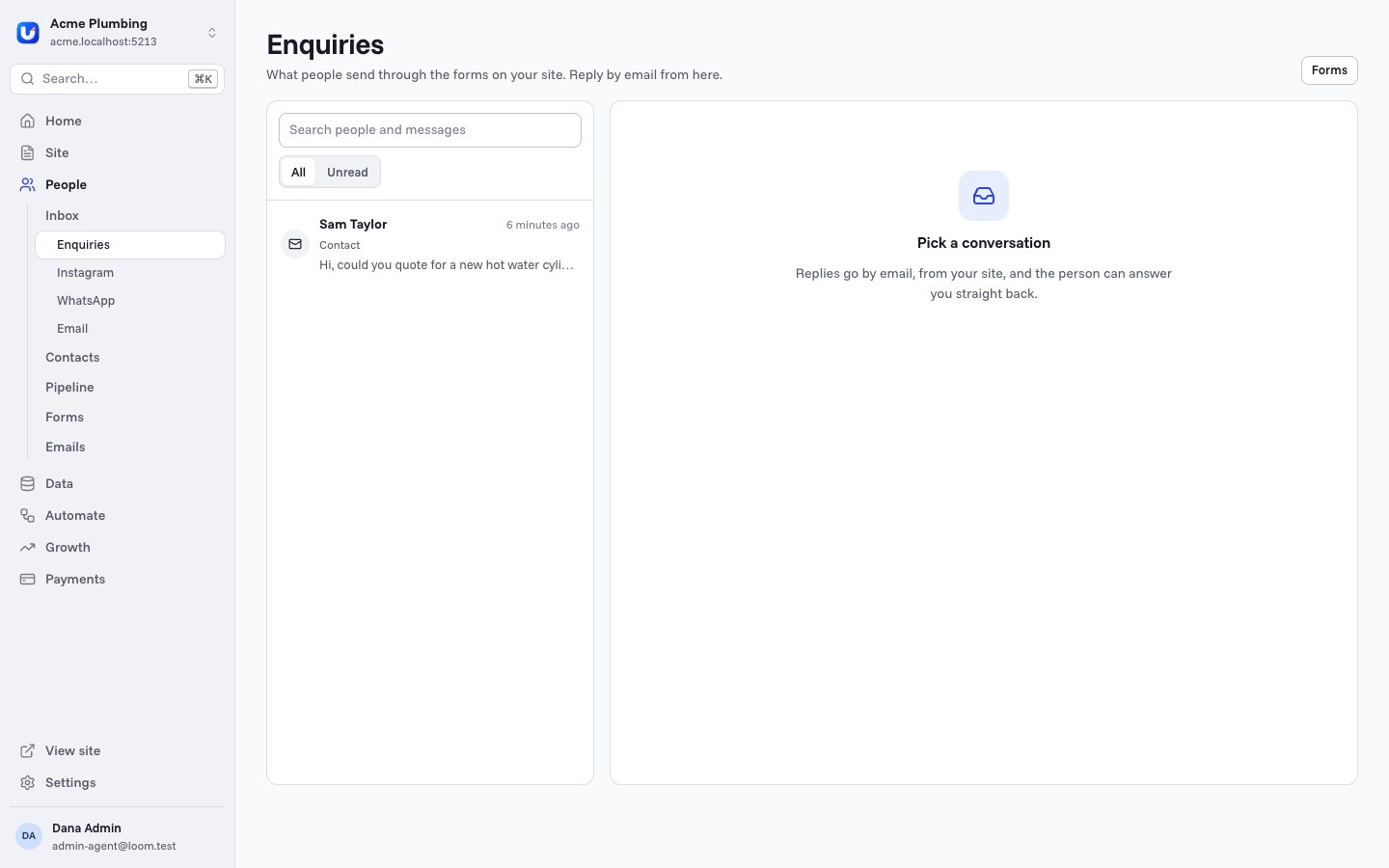
- Open Enquiries and press the enquiry.
- Read what they sent. Every answer from the form is there, with the page they sent it from.
- Check the subject, then write your reply in the box at the bottom.
- Press Send by email, or press ⌘ ↵ (Ctrl+Enter on Windows).
Your reply goes by email from your site, in your brand. When they answer, it comes back to your own email address. The reply is kept on the enquiry and on their contact's history.
Reply on Instagram or WhatsApp
- Open the channel and press the conversation.
- Type your reply and press Send. Press Attach a photo to send a picture.
WhatsApp only lets you write freely within 24 hours of the person's last message. After that, choose an approved template. Instagram allows replies for 7 days. See Connect Instagram and WhatsApp.
Keep on top of it
- Unread shows only conversations you haven't read.
- Opening a conversation marks it read. In an enquiry, press Mark unread to come back to it later.
- In Enquiries, Mark all read clears every unread enquiry at once.
- Search people and messages finds a person by name, email or what they wrote.
- Link to contact connects an Instagram or WhatsApp conversation to someone in Contacts.