
Pipeline
See every contact as a card on a board, one column per stage, and drag people along as conversations move forward.
The Pipeline shows your contacts as cards in columns, one column for each stage. It's the quickest way to see who needs a reply, who's booked a call and who's become a client.
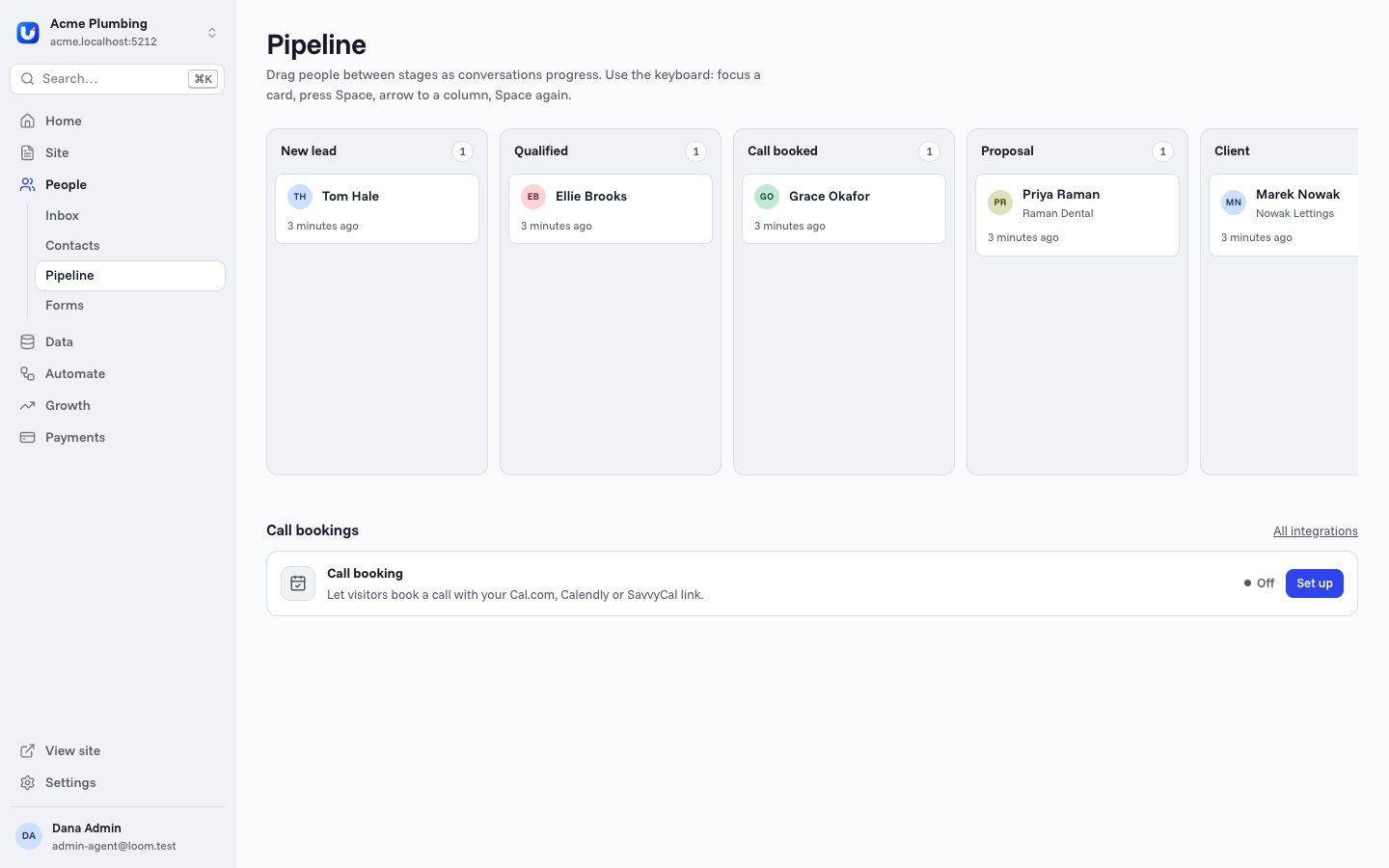
The stages
Every site starts with these stages, left to right:
| Stage | Use it for |
|---|---|
| New lead | Someone who has just got in touch. New enquiries land here automatically. |
| Qualified | A real prospect you want to follow up. |
| Call booked | You've arranged to talk. |
| Proposal | You've sent a quote or proposal. |
| Client | They've said yes. |
| Not now | It didn't go ahead, for now. |
Each column shows how many people are in it. Inside a column, the person with the most recent activity is at the top. A card shows their name, company, lead score (when it's above zero) and when they were last active.
Move a contact to another stage
- In the sidebar, open People, then Pipeline.
- Drag a card into another column.
The change saves straight away and a message confirms it. Moved the wrong person? Press Undo in that message.
You can also change someone's stage from their contact page, with the Stage menu, or move several people at once from Contacts with Move to stage. See Contacts.
Move a card with the keyboard
- Press Tab until the card you want is focused.
- Press Space to pick it up.
- Use the arrow keys to reach the column you want.
- Press Space again to drop it.
Open a contact from the board
Press a card, or focus it and press Enter, to open that person's page with their full history.
Send new enquiries to a different stage
Each form decides which stage its people land in. To change it:
- Open Forms and choose the form.
- Open the After submit tab.
- Under Contacts & pipeline, choose a Pipeline stage, or Don't change to leave existing contacts where they are.
- Press Save changes.
A workflow can move people too, with the Move in the pipeline step.